> For clean Markdown of any page, append .md to the page URL.
> For a complete documentation index, see https://docs.useroot.com/llms.txt.
> For AI client integration (Claude Code, Cursor, etc.), connect to the MCP server at https://docs.useroot.com/_mcp/server.
# Payment Methods API
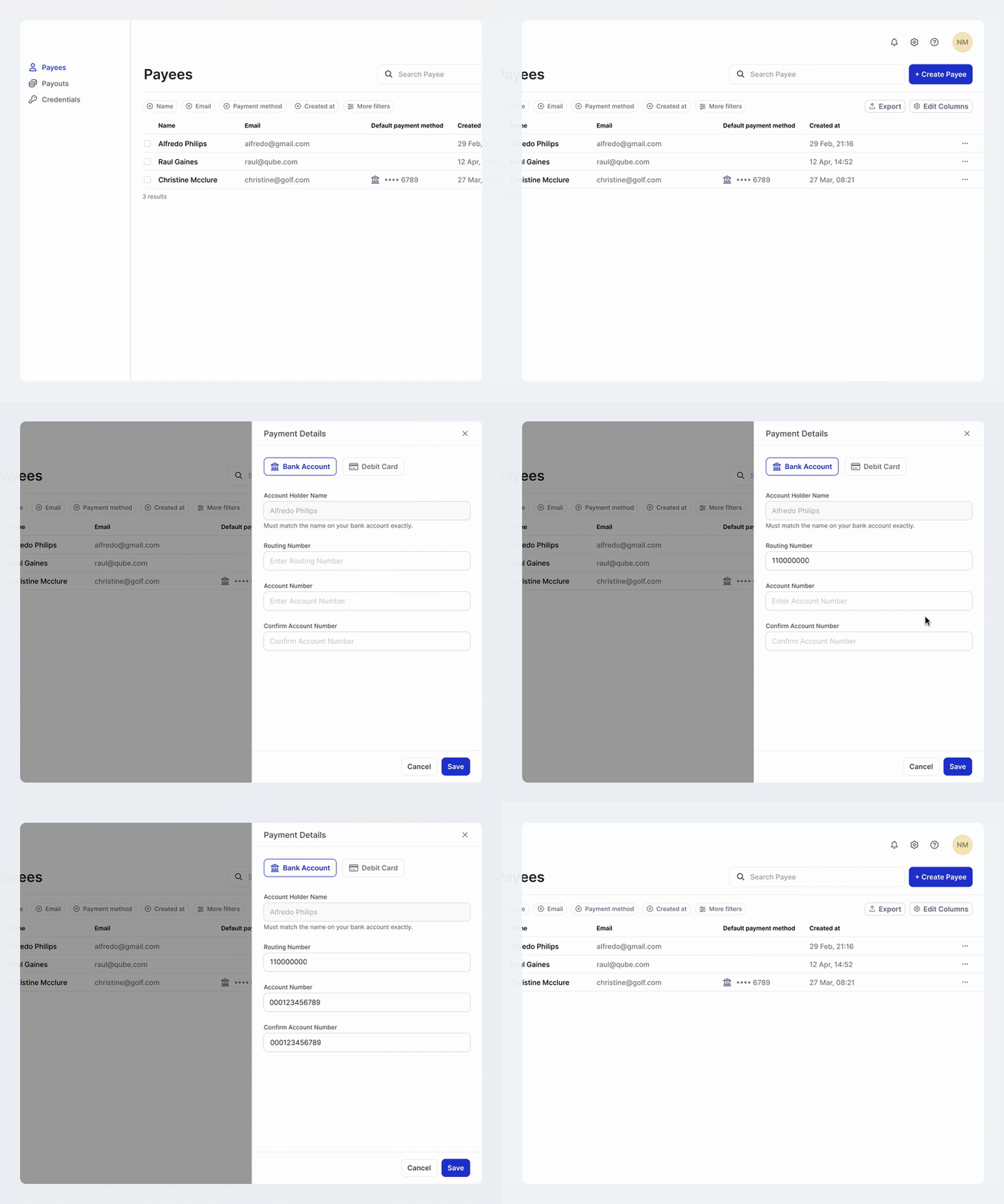
The **Payment Methods API** allows you to manage payment methods for both payees (for payouts) and payers (for payins). Payment methods can be added using their unique `payee_id` or `payer_id`. Each party can have multiple payment methods.
Our platform uses vault technology to secure sensitive data with tokenization, encryption, and access control, ensuring compliance with PCI. This allows safe storage and processing of data without exposing raw information, enabling secure and privacy-conscious interactions.
## Payment Methods
A **Payment Method** represents the payment configuration associated with a payee or payer. It contains key details necessary for initiating transactions, such as account number, routing number, and card details.
### Payment Method Types
The API supports different payment method types based on the use case:
**For Payees (Payouts - Money Out):**
| Type | Description |
| -------------- | ------------------------------------------------------------------------------------------------------------------- |
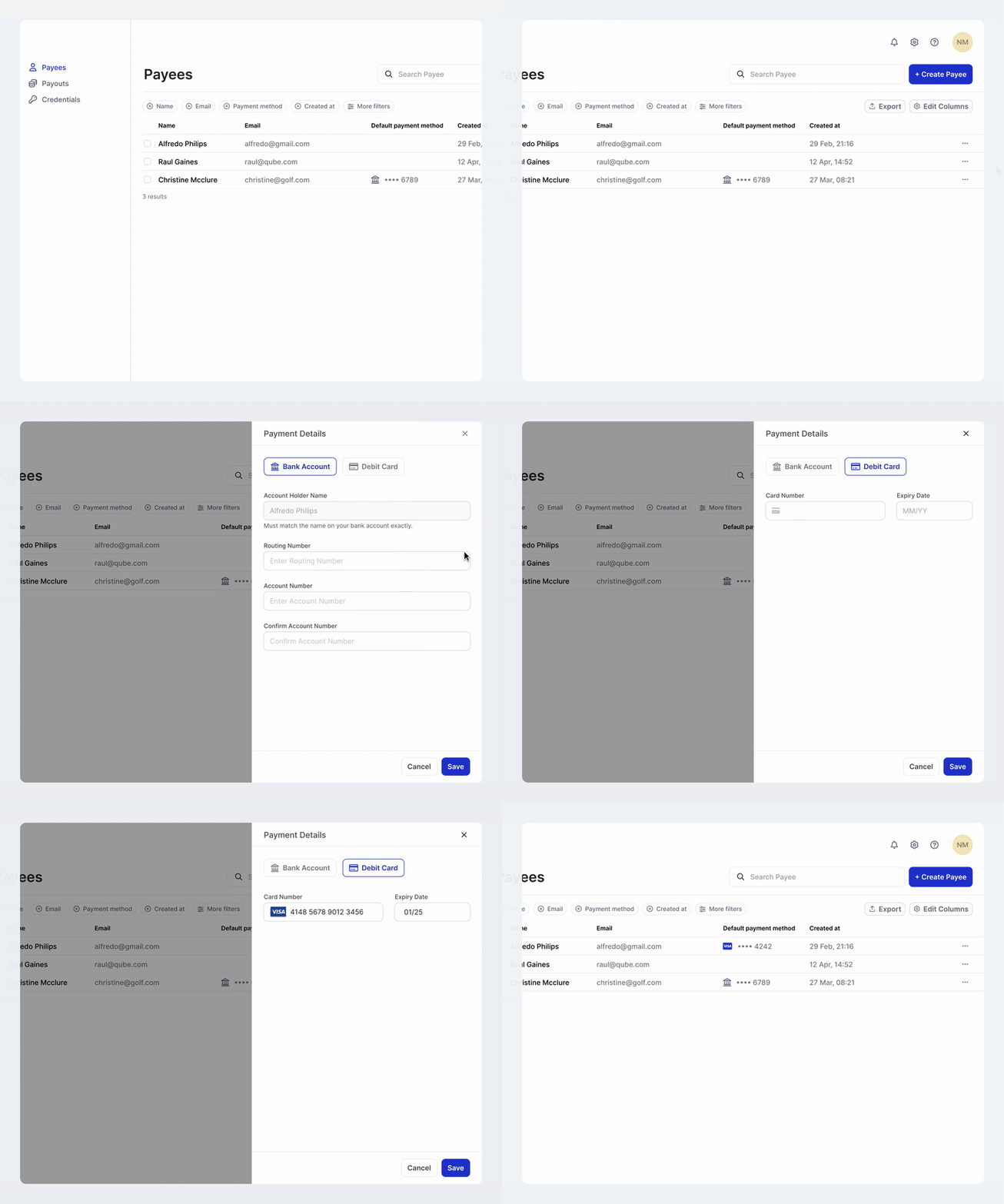
| `bank_account` | Direct bank transfer (pay-to-bank). Field requirements vary by country and currency — see **Country and Currency**. |
| `card` | Push-to-card payment method. Available markets and currencies depend on your integration and card program. |
 **For Payers (Payins - Money In):**
| Type | Description |
| -------------- | ---------------------------------------------------------------------------------------------------------------------------------- |
| `bank_account` | Pay-by-bank for pulling funds from payer accounts. Field requirements vary by country and currency — see **Country and Currency**. |
### Country and currency
Payment methods are associated with a market through **`country_code`** and **`currency_code`**. Requirements differ by payment method type and market.
**Bank accounts** — field shapes, supported combinations, and verification behavior by currency are documented under **Country and Currency**.
**Cards** — push-to-card programs may support additional markets and currencies over time. Use the Payee Payment Methods API card endpoints for request and response details for your integration.
### Verification Status Lifecycle
Payment methods go through a verification process with the following statuses:
| Status | Description |
| ---------- | ------------------------------------------------------------------ |
| `pending` | Verification process has been initiated |
| `verified` | Payment method has been successfully verified and can be used |
| `failed` | Verification process failed due to invalid details or other issues |
### Default Payment Method
Each payee or payer can have one payment method designated as the default. The default payment method is automatically used for transactions unless otherwise specified.
* A payment method can only be set as default if its verification status is `verified`
* When adding a new payment method, you can specify whether it should be set as default using the `is_default` parameter
* If `is_default` is set to `true` but the payment method is not verified, it will be created but not set as default, and a warning will be returned
* The default can be changed using the Set Default Payment Method API, but only verified payment methods can be set as default
* Attempting to set an unverified payment method as default will result in an error
**For Payers (Payins - Money In):**
| Type | Description |
| -------------- | ---------------------------------------------------------------------------------------------------------------------------------- |
| `bank_account` | Pay-by-bank for pulling funds from payer accounts. Field requirements vary by country and currency — see **Country and Currency**. |
### Country and currency
Payment methods are associated with a market through **`country_code`** and **`currency_code`**. Requirements differ by payment method type and market.
**Bank accounts** — field shapes, supported combinations, and verification behavior by currency are documented under **Country and Currency**.
**Cards** — push-to-card programs may support additional markets and currencies over time. Use the Payee Payment Methods API card endpoints for request and response details for your integration.
### Verification Status Lifecycle
Payment methods go through a verification process with the following statuses:
| Status | Description |
| ---------- | ------------------------------------------------------------------ |
| `pending` | Verification process has been initiated |
| `verified` | Payment method has been successfully verified and can be used |
| `failed` | Verification process failed due to invalid details or other issues |
### Default Payment Method
Each payee or payer can have one payment method designated as the default. The default payment method is automatically used for transactions unless otherwise specified.
* A payment method can only be set as default if its verification status is `verified`
* When adding a new payment method, you can specify whether it should be set as default using the `is_default` parameter
* If `is_default` is set to `true` but the payment method is not verified, it will be created but not set as default, and a warning will be returned
* The default can be changed using the Set Default Payment Method API, but only verified payment methods can be set as default
* Attempting to set an unverified payment method as default will result in an error
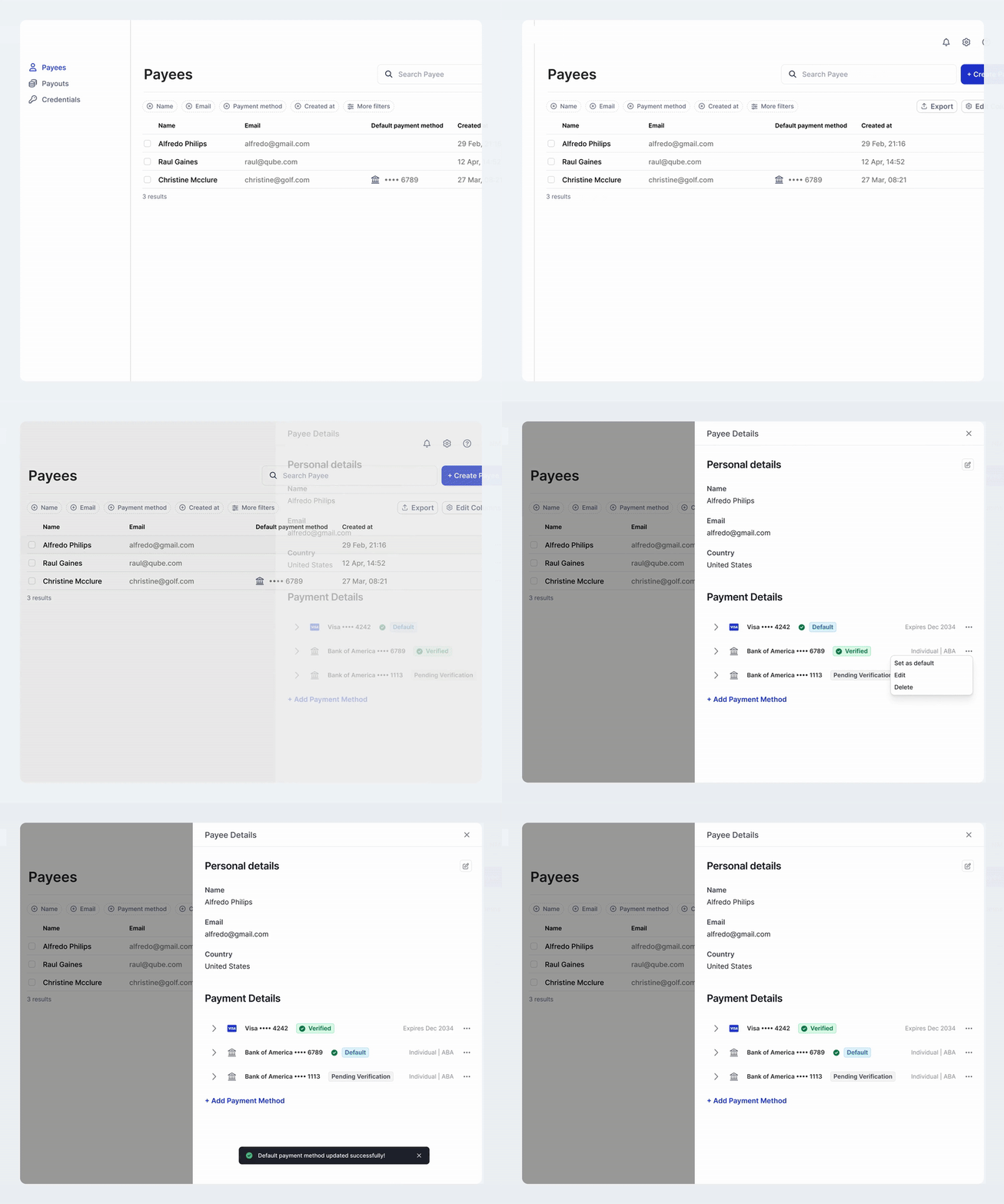 A payment method in **`pending`** or **`failed`** cannot be set as the default. If a payment method is created but not set as default for this reason, the response includes a **`warning`** field (**207** Multi-Status).
### Deleting a Payment Method
A payment method can be deleted when it is no longer needed. Deleting a payment method removes it from day-to-day operations while preserving the record for audit and reporting purposes.
Delete restrictions:
1. The payment method **cannot** be the current default. You must first set another verified payment method as default.
2. Only the party owner (or an authorized admin/API key) can delete their own payment methods.
3. The operation returns **HTTP 204 No Content** on success.
Use the appropriate endpoint to perform the deletion:
* For payees: `DELETE /api/payees/{payee_id}/payment-methods/{payment_method_id}`
* For payers: `DELETE /api/payers/{payer_id}/payment-methods/{payment_method_id}`
See the endpoint reference below for detailed request and response information and examples.
A payment method in **`pending`** or **`failed`** cannot be set as the default. If a payment method is created but not set as default for this reason, the response includes a **`warning`** field (**207** Multi-Status).
### Deleting a Payment Method
A payment method can be deleted when it is no longer needed. Deleting a payment method removes it from day-to-day operations while preserving the record for audit and reporting purposes.
Delete restrictions:
1. The payment method **cannot** be the current default. You must first set another verified payment method as default.
2. Only the party owner (or an authorized admin/API key) can delete their own payment methods.
3. The operation returns **HTTP 204 No Content** on success.
Use the appropriate endpoint to perform the deletion:
* For payees: `DELETE /api/payees/{payee_id}/payment-methods/{payment_method_id}`
* For payers: `DELETE /api/payers/{payer_id}/payment-methods/{payment_method_id}`
See the endpoint reference below for detailed request and response information and examples.